
Executive Summary
The integration of digital driver’s licenses (mDLs) into mobile wallet platforms like Apple Wallet represents a significant advancement in secure and convenient identity verification. This report provides a comprehensive technical analysis of the current landscape of mDL adoption in Apple Wallet across U.S. states, details the specific technical and procedural requirements for such integration, and addresses the distinct capabilities and limitations of digital passports within this ecosystem. A particular focus is placed on the Commonwealth of Virginia, examining its existing Mobile ID (mID) application, explaining why it is not currently integrated with Apple Wallet, and outlining a technical roadmap for its transition to Apple Wallet compatibility. The analysis emphasizes adherence to international standards, robust security protocols, and the critical role of operational readiness in achieving successful public adoption.
1. Introduction to Digital Identity and Apple Wallet Integration
1.1. The Evolution of Digital Credentials and Mobile Driver’s Licenses (mDLs)
The global landscape of identity management is undergoing a profound transformation, moving from traditional physical documents to advanced digital credentials. This evolution is driven by the imperative for enhanced security, improved privacy controls, and greater convenience in identity verification processes.1 Mobile Driver’s Licenses (mDLs) are at the forefront of this shift, enabling individuals to securely carry and present their official identity information on their smartphones.1 These digital credentials offer a modern, streamlined approach to identity verification, reducing the reliance on physical cards for various transactions, from airport security checkpoints to age-restricted purchases.1 The inherent benefits of mDLs include a reduction in identity fraud, modernization of government agency operations, and increased citizen convenience through features like selective data sharing and remote management capabilities.1
1.2. Core Benefits of Apple Wallet mDLs: Security, Privacy, and Convenience
Apple Wallet’s integration of mDLs leverages the robust security and privacy features embedded within the iPhone and Apple Watch ecosystem.
From a security standpoint, identity information added to Apple Wallet is encrypted on the user’s device, ensuring that neither Apple nor the issuing authority can access it unless the user explicitly chooses to present it.4 The system utilizes the device’s Secure Enclave for cryptographic operations, further protecting sensitive data. During the setup process, advanced fraud prevention mechanisms are employed, including the analysis of facial movements and device use patterns to mitigate risks such as attempts to add an ID using photographs or masks.4 Biometric authentication, specifically Face ID or Touch ID, is a mandatory requirement, ensuring that only the authorized user can view and present their digital ID.5 If a device is lost or stolen, the mDL can be managed remotely via the Find My app, allowing users to pause or delete their ID.9
Privacy is a fundamental design principle. When presenting an mDL, users have granular control over the information shared. Only the specific data required for a particular transaction is presented, and the user must explicitly review and authorize this information release through biometric authentication.1 This prevents oversharing of personal data, a common concern with physical IDs. Critically, neither the issuing authority nor Apple retains any presentment history or tracks when and where an individual uses their digital license or ID.4
For convenience, Apple Wallet mDLs offer a seamless user experience. Adding a driver’s license or state ID is a straightforward process involving scanning the physical card and performing a selfie with facial movements.5 Presenting the ID is as simple as holding the iPhone or Apple Watch near a compatible identity reader, similar to using Apple Pay, eliminating the need to physically hand over the device.8 This contactless interaction enhances both speed and security.
1.3. Foundational Technical Standards: ISO 18013-5 and AAMVA Guidelines
The successful implementation and widespread acceptance of mDLs, particularly within a platform like Apple Wallet, are underpinned by adherence to rigorous technical standards. The ISO/IEC 18013-5 standard is paramount in this context. It defines the comprehensive technical specifications for mobile driver’s licenses, establishing a framework for secure, privacy-preserving, and interoperable digital identity verification.1 This international standard covers the entire lifecycle of digital driver’s licenses, from issuance by authorities to their secure storage, transmission, and presentation on mobile devices.1 Its objectives include enhancing the security of digital identities, preventing fraud, and promoting the global adoption of mDLs as a convenient alternative to physical licenses.1 Compliance with ISO 18013-5 ensures that mDLs can be used consistently across different jurisdictions and devices, facilitating a consistent user experience and bolstering trust in the digital credential.1
Within the U.S. context, the American Association of Motor Vehicle Administrators (AAMVA) guidelines complement ISO 18013-5. Apple’s integration specifically supports the AAMVA namespace, which includes additional data elements pertinent to U.S. driver’s licenses, ensuring that state-specific requirements are met within the broader international standard.18 The Issuing Authority Certificate Authority (IACA) root certificate, securely managed within AAMVA’s Digital Trust Service, forms a critical foundation of trust, verifying that an identity document was created by a valid issuer, such as a state Department of Motor Vehicles (DMV).18
The consistent emphasis on ISO 18013-5 and AAMVA guidelines across various implementations and Apple’s own documentation highlights a crucial aspect of digital identity integration: standardization is a fundamental prerequisite for platform integration and broad market adoption. While a state could develop a proprietary digital ID solution, such an approach inherently limits interoperability and widespread acceptance. Without adherence to established technical frameworks, a digital ID would struggle to integrate seamlessly with major technology platforms like Apple Wallet, which require a common technical language and verifiable security assurances. This means that for states aiming for long-term viability and broad acceptance of their digital IDs, investing in standards-compliant solutions from the outset is not merely a best practice but a strategic imperative. This strategic alignment significantly reduces future technical debt and accelerates the overall market acceptance of the digital credential.
2. Current Landscape of Digital Driver’s Licenses in Apple Wallet
2.1. States and Territories Currently Supporting Apple Wallet mDLs
As of late 2024 and mid-2025, a growing number of U.S. states and territories have successfully implemented support for digital driver’s licenses and state IDs within Apple Wallet. This integration allows residents of these jurisdictions to store and present their official identification securely on their iPhone and Apple Watch.
The following table summarizes the states and territories that currently support digital IDs in Apple Wallet, along with their approximate adoption dates and information on support for other digital wallets where applicable:
| State/Territory | Apple Wallet Adoption Date | Other Supported Digital Wallets/Apps | Relevant Snippet IDs |
| Arizona | March 2022 | Google Wallet, Samsung Wallet, State App | 20 |
| California | September 2024 | Google Wallet, CA DMV Wallet App | 6 |
| Colorado | November 2022 | Google Wallet, Samsung Wallet | 6 |
| Georgia | May 2023 | Google Wallet, Samsung Wallet | 6 |
| Hawaii | August 2024 | None specified | 6 |
| Iowa | October 2024 | Samsung Wallet, Iowa Mobile ID app | 20 |
| Maryland | May 2022 | Google Wallet, Samsung Wallet | 6 |
| New Mexico | December 2024 | Google Wallet | 20 |
| Ohio | July 2024 | None specified | 6 |
| Puerto Rico | December 2024 | None specified | 5 |
Several other states, including Connecticut, Kentucky, Mississippi, Montana, Oklahoma, Utah, and West Virginia, have publicly committed to adopting the feature in the future or are in various stages of exploration and implementation.6 Some states, such as Utah and West Virginia, already support mobile driver’s licenses through their own separate applications.15 The overall number of states supported in Apple Wallet is approximately half of what the Transportation Security Administration (TSA) currently accepts across various digital wallet platforms and state-based mobile apps.15
2.2. User and Device Requirements for Apple Wallet mDLs
For residents to add and utilize their digital driver’s license or state ID in Apple Wallet, specific user and device requirements must be met:
- Device Compatibility: An iPhone 8 or later is generally required, or an Apple Watch Series 4 or later.5 Notably, for California, an iPhone XS or later with iOS 17.5 or later is needed, and for Puerto Rico, an iPhone XS or later with iOS 18.1 or later is required.5
- Software Requirements: The device must be running the latest version of iOS (iOS 16.5 or later generally) or watchOS (watchOS 9.5 or later generally).5
- Authentication and Security Features: Face ID or Touch ID must be enabled on the device, and two-factor authentication must be turned on for the user’s Apple Account.5 These biometric safeguards are crucial for securing access to and presentation of the digital ID.5
- Issuing Authority Approval: The ultimate decision to approve or deny a request to add a license or ID to Apple Wallet rests with the state’s issuing authority (e.g., DMV), not Apple.5
- Geographic Region: The device’s region setting must be set to the United States.5
The process of adding an ID typically involves scanning the front and back of the physical license, completing a series of head or facial movements, and taking a selfie. These images and movements are evaluated for quality and encrypted on the device before being sent to the issuing authority for verification.4
2.3. Overview of State Implementation Models
Each state supporting digital IDs in Apple Wallet has implemented its own program, as the management of these digital credentials falls under the purview of the issuing state.15 Despite state-specific variations, a common model for implementation and usage has emerged.
The general process for adding an ID involves the user initiating the process through the Apple Wallet app, selecting their state, and following on-screen instructions to scan their physical license and complete identity verification steps, often including live photo capture and facial movements.5 The issuing authority then verifies the information and approves the addition of the ID to the Wallet.5
A significant characteristic of current state implementations is that the digital ID serves as a companion to the physical, plastic driver’s license or identification card, rather than a full replacement.9 This means that residents are generally advised or required to continue carrying their physical card, as not all entities or situations may yet accept the digital version.9 For instance, while digital IDs are accepted at select TSA security checkpoints, travelers are still recommended to have their physical ID readily available, as it may be required for additional verification.11 Similarly, interactions with law enforcement may still necessitate the physical card.19
This prevailing model, where digital IDs are companions rather than replacements, suggests a deeper dynamic at play beyond mere technical capability. While Apple Wallet mDLs are designed with robust security features, including advanced encryption, biometric authentication, and selective data sharing 4, the persistent requirement for a physical backup indicates that the
trust framework for digital IDs is still in an evolutionary phase. Widespread acceptance by all potential verifying entities – including diverse businesses, various law enforcement agencies, and all government services – lags behind the technological readiness and official state endorsement. This situation arises because the adoption of mDL verification technology (e.g., compliant mobile ID readers) and the associated training for personnel are not yet universal across all sectors.9 Therefore, the successful widespread adoption of digital IDs requires not only the technical implementation by the state but also a concerted, multi-sector effort to build trust, educate verifiers, and deploy necessary infrastructure. This points to a phased transition where digital IDs will gradually assume primary status as the ecosystem of acceptance matures.
3. Virginia’s Digital ID Initiatives: Current Status and Discrepancy
3.1. Virginia’s Existing Mobile ID (mID) Application and its Functionality
Virginia has independently developed and launched its own Mobile ID (mID) application, available for download on both the Apple App Store and Google Play.14 This mID serves as a voluntary, secure, and digital representation of a resident’s physical Virginia-issued driver’s license or ID card.14
The Virginia mID is designed to adhere to “industry standards,” aiming to limit the information shared to only the data necessary for a specific transaction, with the user retaining explicit control and requiring their consent for data release.14 The setup process for the Virginia mID involves scanning the barcode on the back of the physical license, performing a facial confirmation selfie (a “liveness check”), and then storing the verified information on the user’s smartphone.14 A key privacy feature allows users to limit the personal information displayed, for instance, by only showing age verification for restricted purchases without revealing a home address.14
The Virginia mID has achieved a notable level of initial acceptance, launching with more partners than many other states. It is currently accepted at select TSA checkpoints, Virginia ABC stores, casinos, Virginia DMV locations, Virginia State Police, and numerous local law enforcement agencies.14 However, similar to other states, the Virginia DMV advises residents to continue carrying their physical ID as a backup, given that not all entities are yet equipped to verify the mID.14
3.2. Why Virginia’s mID is Not Currently in Apple Wallet
Despite having a functional mobile ID application, Virginia’s mID is not currently integrated into Apple Wallet. This situation is shared with a few other states, such as Louisiana, New York, and Utah, which also support mobile driver’s licenses but require the use of separate, standalone applications for their digital IDs.15
The primary reason for this distinction is that Virginia has pursued a proprietary application development path for its mID, rather than directly integrating with Apple’s Wallet API from the outset. While Virginia’s mID app provides digital identification capabilities, it operates independently of the native Apple Wallet framework that allows for direct storage and presentation of IDs alongside payment cards and other passes. However, the Virginia DMV has officially stated that “ID in Apple Wallet, Google Wallet and Samsung Wallet are all coming soon!”.14 This indicates a clear intention to integrate with these major platform wallets in the future, suggesting that the current standalone app is an interim solution or an initial phase of their digital identity strategy.
The following table provides a comparison between Virginia’s current standalone mID app and the general model of Apple Wallet mDL integration, highlighting the functional and technical differences that explain the current lack of direct integration:
| Feature/Aspect | Virginia’s Current mID App | Apple Wallet mDL Integration (General Model) | Relevant Snippet IDs |
| Platform | Standalone app (Apple App Store, Google Play) | Native integration within Apple Wallet app | 15 |
| User Interface | Dedicated app interface | Integrated within the familiar Apple Wallet interface, alongside payment cards, tickets, etc. | 6 |
| Presentation Method | QR code scan to verifying device/reader 14 | Contactless tap (NFC/Bluetooth) to identity reader; double-click side/home button for authorization 6 | 6 |
| Data Sharing Control | User controls what information is shared 14 | User reviews and authorizes specific information requested by verifier via Face ID/Touch ID 1 | 1 |
| Security Features | High level of security in storage, data transmission, and verification; no data leaves device without consent 14 | Encrypted on-device storage (Secure Enclave); biometric authentication (Face ID/Touch ID) tied to ID; Apple does not track usage; fraud prevention during setup 4 | 4 |
| Acceptance Points | Accepted at select TSA, VA ABC stores, casinos, VA DMV, VA State Police, local law enforcement 14 | Accepted at select TSA checkpoints, participating businesses/venues, and in apps leveraging Apple’s ID Verifier API 6 | 6 |
| Companion Status | Companion to physical ID; physical ID still required in some circumstances 14 | Companion to physical ID; physical ID still required in some circumstances 9 | 9 |
| Multiple Devices | Can only be on one device at a time 14 | Can be added to one iPhone and one paired Apple Watch at a time; only one license/ID per Apple Account 5 | 5 |
3.3. Legislative Framework in Virginia (e.g., House Bill 506)
Virginia has established a legislative foundation for mobile IDs through House Bill 506, passed in 2022.29 This bill formally promotes the creation and acceptance of a mobile ID within the Commonwealth. Key provisions of HB 506 include:
- Acceptance by Law Enforcement: The presentment of a digital ID to a law enforcement officer is recognized as an acceptable form of identification.29 Crucially, the legislation specifies that this act does not imply consent for the officer to access other applications or stored items on the presenter’s mobile device.29
- Mandatory Acceptance: Both public and private entities are required to accept the mobile ID in lieu of a physical ID.29 This broad mandate is a significant step towards widespread utility for the digital credential.
- Prerequisite for Digital ID: An individual must already possess a physical driver’s license to obtain a mobile driver’s license.29 This ensures that the digital ID is a derivative of a primary, already-verified physical credential.
While HB 506 provides a strong legal basis for Virginia’s mobile ID program, its focus is on the general concept of a mobile ID rather than specific platform integrations like Apple Wallet. The existing legislation, however, provides a favorable environment for future integration, as it already legitimizes digital credentials and mandates their acceptance across various sectors.
3.4. Reported User Experiences and Operational Challenges with Virginia’s mID
Despite the legislative support and the initial rollout, user experiences with the Virginia mID app have presented operational challenges. Reviews on app stores indicate significant functional issues that could impede broader public adoption and trust.
Users have reported problems such as the app requiring frequent refreshing, often failing to refresh even when connected to the internet, and, critically, the self-deletion of stored ID information.31 This necessitates users to go through the entire setup process again, leading to frustration and a lack of confidence in the app’s reliability.31 Some users have described the app as “useless” or unreliable precisely when needed, such as during identity verification scenarios.31 These issues suggest fundamental instability or design flaws in the current standalone application.
Furthermore, the project itself has experienced delays. While initially slated for a July 2023 release to the general public, as of February 2023, there was no scheduled launch date, although the app was in use by a portion of Virginia’s state employees.29 The ongoing reports of technical glitches, even as late as August 2025, suggest that the “ironing out the bugs” phase has been protracted.35
The operational challenges and negative user experiences with the Virginia mID app, as evidenced by user feedback, highlight a critical consideration for government digital services: operational maturity and user experience are significant drivers for platform adoption. While states possess the capability to develop proprietary digital ID applications, achieving the same level of reliability, seamless user experience, and widespread acceptance as established platform wallets like Apple Wallet can be a substantial and resource-intensive undertaking. The recurring issues with self-deletion and refresh failures in Virginia’s app suggest that maintaining a robust, high-performing standalone digital identity solution is complex. This situation underscores why states, including Virginia, are increasingly signaling their intent to integrate with major platform wallets.14 Leveraging existing, widely adopted, and technically mature commercial platforms can lead to demonstrably better user satisfaction, reduced long-term operational overhead for the state, and significantly faster public acceptance compared to developing and continuously maintaining entirely independent solutions. The difficulties faced by Virginia’s standalone app may therefore be a compelling factor influencing its stated future plans for Apple Wallet integration.
4. Technical and Procedural Steps for Virginia to Integrate with Apple Wallet
For Virginia to successfully enable its residents to store their driver’s licenses and state IDs in Apple Wallet, a multi-faceted approach encompassing formal partnerships, rigorous technical adherence, and operational preparation is required.
4.1. Establishing a Formal Partnership with Apple
The foundational step for any state seeking Apple Wallet mDL integration is to establish a formal partnership with Apple. This involves direct engagement and a collaborative agreement between the Virginia Department of Motor Vehicles (DMV) or the designated state issuing authority and Apple’s identity and Wallet teams.6 Apple actively works with states to facilitate the rollout of this capability, providing the necessary frameworks and support for integration.21 This partnership is not merely a legal formality but a technical collaboration to ensure seamless and secure data exchange and interoperability.
4.2. Adherence to Technical Specifications and Standards (ISO 18013-5 Compliance)
Virginia’s existing mID is reportedly “built on industry standards” 14, which is a promising starting point. However, full and certified compliance with the
ISO/IEC 18013-5 standard is critical for Apple Wallet integration. This standard dictates the secure storage, transmission, and validation protocols for mobile driver’s licenses, ensuring interoperability and robust security.1 Apple’s system explicitly leverages this standard, including the AAMVA namespace for U.S.-specific driver’s license data.18 Virginia’s technical team would need to conduct a thorough audit of its current mID system against the latest ISO 18013-5 specifications and Apple’s specific implementation guidelines to identify and address any compliance gaps. This includes ensuring proper formatting of digital credentials, secure communication protocols (e.g., NFC, Bluetooth), and robust authentication mechanisms.1
4.3. Issuing Authority Certificate Authority (IACA) Setup and Management
A crucial component of the trust framework for digital identities is the Issuing Authority Certificate Authority (IACA). An IACA certificate serves as the cryptographic root of trust, verifying the validity of the identity document’s issuer, such as the Virginia DMV.18 Apple’s Verify with Wallet API mandates that the verifying server trusts these specified IACA certificates for authentication, ensuring the authenticity of the digital credential presented.18
Implementing this requires Virginia to establish and manage a robust Public Key Infrastructure (PKI) solution for its IACA. This involves:
- Creating the IACA CA: This process entails setting up the cryptographic infrastructure to issue and manage certificates, often leveraging cloud-based PKI solutions that can manage Hardware Security Modules (HSMs) and Certificate Revocation Lists (CRLs).17
- Generating Document Signing Certificates: The IACA CA will issue document signing certificates, which are used to digitally sign the mDL data, ensuring its integrity and authenticity during transmission and verification.17
The secure management of these certificates is paramount, as they form the foundation of trust for all digital IDs issued by the state.
4.4. Apple Developer Program Requirements and API Integration
Direct integration with Apple Wallet necessitates adherence to specific requirements within the Apple Developer Program. Virginia’s designated agency would need to:
- Enroll in the Apple Developer Program: This provides access to the necessary tools, documentation, and support for integrating with Apple’s ecosystem.
- Obtain Verify with Wallet API Entitlement: This specific entitlement is required to allow a state’s system to interact with the Wallet app for identity verification.12
- Set up Merchant ID and Identity Access Certificate: A merchant ID must be created, and an “Identity Access Certificate” associated with it. The private key of this certificate is used by the state’s server to decrypt encrypted data returned from the API, ensuring secure communication.12
- Configure App ID Capabilities: The App ID for Virginia’s mID system (or a new integration app) must have the “In App Identity Presentment” and “In App Identity Presentment Merchant IDs” capabilities enabled.12
- Implement PassKit Framework API: Virginia’s developers would integrate with the PassKit framework to invoke the Verify with Wallet API. This API allows the state’s system to specify the information it is requesting from the user’s digital ID (e.g., age over N flag, age in years, given name, family name, address, date of birth, ID photo, document number, issue/expiration dates, driving privileges).12
- Testing and Validation: Apple provides tools for testing API integration, including an iOS simulator with mock data and an on-device developer integrator profile that provides mock data with a real device signature.12 Rigorous testing is essential to ensure functionality, security, and compliance.
The following table summarizes the key technical requirements for a state-level Apple Wallet mDL integration:
| Requirement Category | Specific Requirement/Component | Description/Purpose | Relevant Standards/APIs | Relevant Snippet IDs |
| Partnership & Legal | Formal Agreement with Apple | Establishes collaborative framework for integration. | N/A | 6 |
| Legislative/Regulatory Alignment | Ensures state laws support mDL use within third-party wallets and define acceptance. | HB 506 (VA), Maryland Bill (example) | 29 | |
| Standards Adherence | ISO/IEC 18013-5 Compliance | Defines technical specifications for mDLs, ensuring security, privacy, and interoperability. | ISO/IEC 18013-5 | 1 |
| AAMVA Namespace Support | Includes U.S.-specific data elements within the ISO standard for driver’s licenses. | AAMVA Mobile Driver’s License Implementation Guidelines | 18 | |
| Cryptographic Infrastructure | Issuing Authority Certificate Authority (IACA) | Root of trust for verifying the valid issuer (DMV) of identity documents. | PKI, IACA certificates | 17 |
| Document Signing Certificates | Used to digitally sign mDL data for integrity and authenticity. | PKI | 17 | |
| Apple Developer Integration | Apple Developer Program Enrollment | Access to Apple’s tools, APIs, and support. | N/A | 12 |
| Verify with Wallet API Entitlement | Permission to use the API for identity verification within apps. | Apple Verify with Wallet API | 12 | |
| Merchant ID Creation & Identity Access Certificate | Securely identifies the state’s system and enables decryption of shared data. | Apple Developer Portal | 12 | |
| App ID Capabilities Configuration | Enables “In App Identity Presentment” for the state’s application. | Apple Developer Portal | 12 | |
| PassKit Framework Integration | Software framework for interacting with Wallet app and requesting identity data. | Apple PassKit Framework | 12 | |
| Data Exchange & Security | Encrypted Communication | Digital ID information shared securely between device and reader. | Encrypted Bluetooth, NFC | 1 |
| Biometric Authentication | User consent via Face ID or Touch ID required to release information. | Face ID, Touch ID | 5 | |
| Fraud Prevention Mechanisms | Evaluation of selfies and facial movements during setup to prevent fraudulent additions. | Apple’s fraud prevention systems | 4 |
4.5. Secure Data Exchange, Verification Architecture, and Fraud Prevention
The technical architecture underpinning Apple Wallet mDLs ensures a high degree of security and privacy during data exchange. When a user presents their digital ID, the information is shared digitally through encrypted communication channels directly between the user’s device (iPhone or Apple Watch) and the identity reader.1 This design means that users do not need to physically hand over their device, minimizing the risk of unauthorized viewing or data compromise.
Prior to any information being released, the user must authenticate with Face ID or Touch ID, which is specifically tied to the digital ID during its setup.5 This biometric authentication ensures that only the authorized individual can access and present their identity. Furthermore, the system is designed to present only the specific information required for the transaction, preventing unnecessary data exposure.1
During the initial setup process, the issuing authority verifies the user’s identity based on the submitted images and data.4 Apple also plays a role in fraud prevention during this phase by evaluating the selfie and facial movements to confirm the presence of a live person and to reduce the risk of fraudulent additions using photographs, videos, or masks.4 Virginia’s integration would need to ensure its backend systems seamlessly integrate with these secure data exchange and fraud prevention protocols, maintaining the high bar set by Apple’s framework.
4.6. Operational Readiness: Training, Acceptance Infrastructure, and Public Communication
Beyond the technical integration, successful deployment of Apple Wallet mDLs in Virginia requires comprehensive operational readiness. This involves:
- Training and Equipment for Verifiers: Coordination with local government entities, law enforcement agencies (including Virginia State Police and local agencies), and businesses (such as Virginia ABC stores and casinos) is essential.14 These entities will need appropriate training on how to verify digital IDs using compatible mobile ID readers or updated point-of-sale systems.9 States like Ohio and Maryland have developed programs and apps (e.g., Ohio Mobile ID Check app, Mobile ID Check by MD app) to facilitate business acceptance.9
- Acceptance Infrastructure Deployment: Ensuring that a sufficient number of verifying entities have the necessary hardware (identity readers) and software (updated apps or integrated SDKs) to accept mDLs is crucial for broad utility.9
- Public Communication and Education: A robust public awareness campaign is vital to inform Virginia residents about the availability of Apple Wallet mDLs, their benefits (security, privacy, convenience), and clear instructions on how to add and use them.13 This includes guidance on device requirements, setup processes, and scenarios where the digital ID can be used.5 Continuous monitoring of user feedback and prompt resolution of any issues will build trust and encourage widespread adoption.
4.7. Review and Potential Amendments to State Legislation/Regulations
Virginia’s House Bill 506 already provides a foundational legal framework for mobile IDs, mandating their acceptance by public and private entities and recognizing their use by law enforcement.29 However, as the state moves towards integration with third-party digital wallets like Apple Wallet, a review of existing legislation and regulations may be necessary.
Potential areas for review and amendment could include:
- Explicit Recognition of Third-Party Wallet Integration: While HB 506 broadly promotes mobile IDs, specific language acknowledging and governing credentials stored within commercial digital wallets could provide greater legal clarity and reduce ambiguity for both users and verifiers.
- Liability and Data Governance: Clarifying responsibilities and liabilities related to data handling, security breaches, and fraudulent use within the context of a third-party platform integration.
- Inter-State Agreements: As exemplified by Maryland’s legislation, which authorizes the MVA to enter agreements with other states or national associations for electronic credentials 39, Virginia might consider similar provisions to facilitate broader interoperability and acceptance of its mDLs beyond state borders.
Such legislative refinements would ensure that the legal framework fully supports and adapts to the evolving technical capabilities of digital identity solutions.
5. Digital Passports in Apple Wallet: Capabilities and Limitations
5.1. Current Status and Accepted Use Cases (Domestic Travel Only)
Apple is expanding its Digital ID feature to include U.S. passports within Apple Wallet, with this functionality expected to roll out with iOS 26 in the autumn of 2025.40 This development builds upon the existing integration for state-issued driver’s licenses.
The primary accepted use case for digital passports in Apple Wallet is for identity verification at select TSA checkpoints for domestic flights only.26 This means that travelers will be able to use their iPhone or Apple Watch to present their digital passport in lieu of a physical passport or Real ID-compliant driver’s license for domestic air travel.26 The process mirrors that of digital driver’s licenses, involving holding the device near an identity reader and authorizing the information release with Face ID or Touch ID.26
5.2. Underlying Standards: ICAO Doc 9303 for ePassports
The foundation for digital passports, even in their limited current form within Apple Wallet, lies in the international standards governing physical biometric passports (e-passports). A biometric passport contains an embedded electronic microprocessor chip that securely stores biometric information, primarily a digital image of the passport holder’s face, and often fingerprints or iris scans.42 This chip utilizes contactless smart card technology, adhering to international standards like ISO/IEC 14443.42
The International Civil Aviation Organization (ICAO) Doc 9303 defines the comprehensive technical specifications for these e-passports, including biometric file formats and communication protocols, to ensure global interoperability.42 Key security features embedded within the e-passport chip and its communication protocols, as defined by ICAO, include:
- Basic Access Control (BAC): Encrypts the communication channel between the chip and the reader, requiring a key derived from the Machine Readable Zone (MRZ) data (date of birth, expiry, document number).42
- Passive Authentication (PA): Identifies modifications to passport chip data by verifying digital signatures of hash values stored in a Document Security Object (SOD) file on the chip.42
- Active Authentication (AA): Prevents cloning of passport chips by proving the existence of a unique private key on the chip.42
- Extended Access Control (EAC): Provides stronger encryption and mutual authentication between the chip and the reader, typically used to protect more sensitive biometrics like fingerprints and iris scans.42
These robust security measures are designed to protect personal data and prevent fraud in physical e-passports, forming the technical bedrock upon which digital passport representations in mobile wallets are built.
5.3. Distinguishing Digital Passports from Physical Passports for International Travel
It is crucial to understand that the digital passport feature in Apple Wallet does not replace a physical passport.26 While it offers convenience for domestic air travel at select TSA checkpoints, it has significant limitations, particularly concerning international travel.
The digital passport in Apple Wallet cannot be used for international travel or border crossings.26 For any international flights or entry/exit at national borders, a physical passport will remain an absolute requirement.26 This distinction is critical for users to comprehend to avoid travel disruptions.
The repeated emphasis across various sources that digital passports in Apple Wallet are only for domestic travel and do not replace physical passports for international travel reveals a fundamental challenge beyond mere technical standardization. While the underlying physical e-passport adheres to the globally recognized ICAO Doc 9303 standard 42, its digital representation within a platform wallet like Apple Wallet is severely restricted in its applicability. This situation indicates that the primary hurdle is not the technical capability to digitize the credential (which exists for physical ePassports) but rather the complex web of international legal recognition, bilateral or multilateral trust frameworks, and the diverse border control infrastructure across sovereign nations. Achieving true international digital identity interoperability for border crossings is a significantly more intricate undertaking than domestic state-level integrations. It necessitates extensive multilateral agreements, harmonization of legal frameworks, and a global shift in acceptance protocols that are currently in nascent stages for mobile digital identities. Therefore, while convenient for domestic use, the digital passport in Apple Wallet is a limited-scope solution reflecting the current geopolitical and infrastructural realities of international identity verification.
6. Recommendations for Virginia’s Path Forward
Based on the technical analysis of Apple Wallet mDL integration and Virginia’s current digital ID initiatives, the following recommendations are provided for the Commonwealth to successfully enable residents to store their IDs and driver’s licenses in Apple Wallet.
6.1. Strategic Recommendations for Pursuing Apple Wallet Integration
Given the Virginia DMV’s stated intent for Apple Wallet integration 14 and the documented operational challenges and user dissatisfaction with the current standalone mID app 31, prioritizing Apple Wallet integration is a strategic imperative. Leveraging a mature, widely adopted platform like Apple Wallet can significantly enhance user experience, reduce state-managed operational overhead, and accelerate public trust and acceptance. Virginia should proactively engage with Apple’s identity and Wallet teams to understand the specific partnership requirements and technical onboarding processes. The state’s existing investment in an mID “built on industry standards” 14 should be leveraged to streamline compliance with ISO 18013-5 and AAMVA guidelines, which are fundamental for Apple’s integration framework.
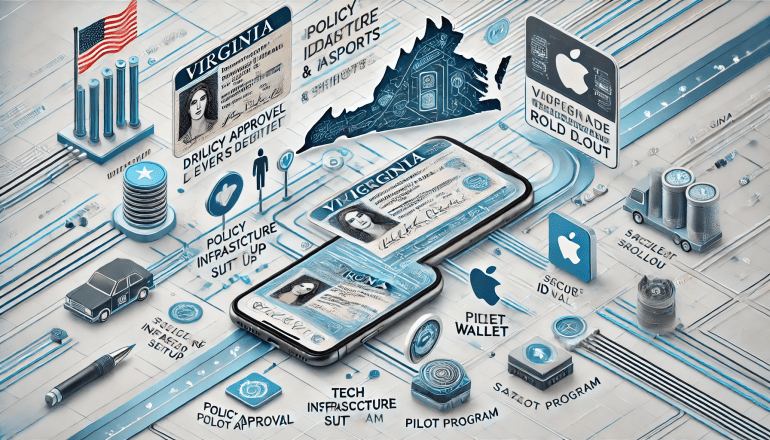
6.2. Phased Technical Implementation Roadmap
A structured, phased approach is recommended for the technical implementation:
- Phase 1: Partnership & Assessment (0-6 months)
- Formalize Agreement: Establish a formal partnership agreement with Apple, outlining roles, responsibilities, and timelines.
- Technical Gap Analysis: Conduct a detailed assessment of Virginia’s current mID system against Apple’s specific integration requirements, covering APIs, security protocols, and IACA setup. This will identify necessary modifications and development efforts.
- Resource Allocation: Secure dedicated technical teams, funding, and external expertise (if needed) for the project.
- Phase 2: Development & Integration (6-18 months)
- Software Modification: Implement necessary backend and frontend software modifications to align Virginia’s mID system with Apple’s Wallet API.12 This includes integrating the PassKit framework and ensuring data formatting adheres to ISO 18013-5 and AAMVA standards.
- IACA Infrastructure Setup/Certification: Establish or certify the Issuing Authority Certificate Authority (IACA) infrastructure, including generating necessary document signing certificates, to serve as the cryptographic root of trust for digital IDs issued via Apple Wallet.17
- Fraud Prevention Integration: Develop and integrate robust fraud prevention mechanisms in collaboration with Apple, leveraging their capabilities for evaluating identity verification steps during setup.4
- Phase 3: Testing & Certification (3-6 months)
- Rigorous Testing: Conduct extensive testing using Apple’s developer tools, including iOS simulators and on-device developer profiles, to ensure full functionality, security, and compliance with all Apple and industry standards.12
- Security Audits: Engage independent third-party security auditors to perform penetration testing and compliance audits, ensuring the system’s robustness against cyber threats and adherence to privacy regulations.
- Apple Certification: Obtain all necessary certifications and approvals from Apple for the integrated solution.
- Phase 4: Pilot & Rollout (6-12 months)
- Controlled Pilot Program: Initiate a controlled pilot program with a select group of users (e.g., state employees or a limited public cohort), similar to California’s mDL pilot.6 This allows for real-world testing and identification of any unforeseen issues in a contained environment.
- Phased Public Rollout: Following a successful pilot, implement a phased public rollout, gradually expanding availability to all eligible residents. This allows for scalability management and continuous improvement.
6.3. Strategies for Public Adoption and Acceptance
Successful technical implementation must be complemented by effective strategies for public adoption and acceptance:
- Comprehensive Public Awareness Campaign: Launch a multi-channel campaign to educate Virginia residents about the availability of their ID in Apple Wallet. This campaign should clearly articulate the benefits of security, privacy, and convenience, addressing common concerns and building trust.13
- Clear Instructional Resources: Provide easily accessible and understandable instructions for adding and using the ID in Apple Wallet, including visual guides and FAQs.5 This can help mitigate the user experience issues reported with the standalone app.
- Collaboration with Acceptance Points: Proactively collaborate with key verifying entities, including TSA checkpoints, law enforcement agencies, and private businesses (e.g., retail, hospitality). This collaboration should focus on ensuring these entities have the necessary identity readers, updated software, and comprehensive training to seamlessly accept Apple Wallet mDLs.11
- Continuous Feedback and Improvement: Establish mechanisms for continuous user feedback and system performance monitoring. Promptly addressing any reported issues and iteratively improving the service will be crucial for building and maintaining long-term public trust and encouraging widespread adoption.31
Conclusion
The integration of digital driver’s licenses into Apple Wallet represents a significant leap forward in secure and convenient identity verification. States that have embraced this technology offer their residents enhanced privacy, robust security features, and the convenience of carrying their official identification on their mobile devices.
Virginia has demonstrated its commitment to digital identity through the development of its standalone mID application and its legislative framework. However, the current operational challenges and user feedback regarding the standalone app underscore the advantages of leveraging established, technically mature platforms like Apple Wallet. By systematically pursuing a formal partnership with Apple, rigorously adhering to international technical standards (ISO 18013-5), establishing a robust cryptographic infrastructure (IACA), and meticulously integrating with Apple’s developer APIs, Virginia can transition its digital ID offering to the Apple Wallet environment.
Furthermore, while digital passports in Apple Wallet offer convenience for domestic air travel, it is imperative to communicate clearly that they do not replace physical passports for international travel due to the complex global legal and infrastructural landscape.
By following the outlined technical roadmap and implementing comprehensive strategies for public adoption and acceptance, Virginia can successfully provide its residents with a secure, private, and highly convenient digital identity solution within Apple Wallet, paving the way for a more streamlined and secure future for personal identification within the Commonwealth.
Appendices
Glossary of Technical Terms
- AAMVA (American Association of Motor Vehicle Administrators): An association representing state and provincial motor vehicle agencies in the U.S. and Canada, providing guidelines and standards for driver’s licenses and vehicle registration.
- API (Application Programming Interface): A set of defined rules that enable different software applications to communicate and interact with each other.
- Apple Wallet: A mobile application by Apple Inc. that allows users to store and use passes such as credit and debit cards, boarding passes, store cards, and digital IDs on their iPhone and Apple Watch.
- Biometric Passport (e-passport): A passport with an embedded electronic microprocessor chip containing biometric information (e.g., facial image, fingerprints) for identity authentication, compliant with ICAO Doc 9303.
- Face ID: Apple’s facial recognition system used for biometric authentication on compatible iPhone and iPad models.
- HSM (Hardware Security Module): A physical computing device that safeguards and manages digital keys for strong authentication and provides cryptoprocessing.
- IACA (Issuing Authority Certificate Authority): A Certificate Authority that acts as the root of trust for verifying the validity of an identity document’s issuer (e.g., a state DMV).
- ICAO (International Civil Aviation Organization): A specialized agency of the United Nations that codifies the principles and techniques of international air navigation and fosters the planning and development of international air transport to ensure safe and orderly growth.
- ICAO Doc 9303: The ICAO document that defines the technical specifications for Machine Readable Travel Documents (MRTDs), including biometric passports.
- ISO/IEC 18013-5: An international standard that specifies the technical requirements for Mobile Driver’s Licenses (mDLs), focusing on secure storage, transmission, and verification of digital identity information on mobile devices.
- mDL (Mobile Driver’s License): A digital version of a physical driver’s license or state ID card stored securely on a mobile device.
- NFC (Near Field Communication): A set of communication protocols for two electronic devices, one of which is typically a portable device such as a smartphone, to establish communication by bringing them within 4 cm (1.6 in) of each other.
- PKI (Public Key Infrastructure): A set of roles, policies, and procedures needed to create, manage, distribute, use, store, and revoke digital certificates and manage public-key encryption.
- Secure Enclave: A dedicated secure subsystem in Apple devices that handles cryptographic operations for sensitive data, such as biometric information and payment details, isolated from the main processor.
- Touch ID: Apple’s fingerprint recognition system used for biometric authentication on compatible iPhone, iPad, and Mac models.
- TSA (Transportation Security Administration): An agency of the U.S. Department of Homeland Security that has authority over the security of the traveling public in the United States.
Detailed Timeline of State Adoptions
- March 2022: Arizona 20
- May 2022: Maryland 20
- November 2022: Colorado 20
- May 2023: Georgia 20
- July 2024: Ohio 20
- August 2024: Hawaii 20
- September 2024: California 6
- October 2024: Iowa 20
- December 2024: New Mexico 20
- December 2024: Puerto Rico 20
States that have signed on to adopt the feature in the future (as of late 2024/early 2025):
- Connecticut 20
- Kentucky 20
- Mississippi 20
- Montana 6
- Oklahoma 20
- Utah 20
- West Virginia 6
- Virginia (stated “coming soon”) 14
Works cited
- ISO 18013-5 Standard: What It Is And How It Works – Dock Labs, accessed August 19, 2025, https://www.dock.io/post/iso-18013-5
- Mobile Driver’s License (mDL) implementation – UL Solutions, accessed August 19, 2025, https://www.ul.com/sites/g/files/qbfpbp251/files/2021-08/mDL%20eBook_Final_0.pdf
- Frequently Asked Questions – WV Division of Motor Vehicles – State of West Virginia, accessed August 19, 2025, https://transportation.wv.gov/DMV/MiD/Pages/FAQ.aspx
- IDs in Apple Wallet: privacy and security overview, accessed August 19, 2025, https://support.apple.com/en-us/118260
- Add your driver’s license to Apple Wallet – Apple Support, accessed August 19, 2025, https://support.apple.com/en-us/111803
- Apple brings California driver’s licenses and state IDs to Apple Wallet, accessed August 19, 2025, https://www.apple.com/newsroom/2024/09/apple-brings-california-drivers-licenses-and-state-ids-to-apple-wallet/
- Legal – IDs in Wallet & Privacy – Apple, accessed August 19, 2025, https://www.apple.com/legal/privacy/data/en/identity/
- Present your driver’s license from Apple Wallet, accessed August 19, 2025, https://support.apple.com/en-us/118237
- Driver License & ID Cards – Ohio BMV, accessed August 19, 2025, https://www.bmv.ohio.gov/dl-mobile-id.aspx
- Pages – Maryland Mobile ID in Apple Wallet – MVA, accessed August 19, 2025, https://mva.maryland.gov/Pages/MDMobileID_Apple.aspx
- Colorado ID on iPhone and Apple Watch | Department of Revenue – Motor Vehicle, accessed August 19, 2025, https://dmv.colorado.gov/applewallet
- Get started with the Verify with Wallet API – Apple Developer, accessed August 19, 2025, https://developer.apple.com/wallet/get-started-with-verify-with-wallet/
- Stop carrying your physical driver’s license and add it to your Apple Wallet – CyberGuy, accessed August 19, 2025, https://cyberguy.com/apple/add-drivers-license-apple-wallet/
- Mobile ID Frequently Asked Questions (FAQs) | Virginia Department of Motor Vehicles, accessed August 19, 2025, https://www.dmv.virginia.gov/licenses-ids/mobile-id/faq
- These States Will Let Your iPhone Be Your Driver’s License – CNET, accessed August 19, 2025, https://www.cnet.com/tech/mobile/these-states-will-let-your-iphone-be-your-drivers-license/
- Use your driver’s license or state ID in Wallet on iPhone and Apple Watch (U.S. only), accessed August 19, 2025, https://support.apple.com/guide/watch/use-your-drivers-license-or-state-id-apd4ce005ed6/watchos
- How to Build Mobile Driver’s License ISO/IEC 18013-5 in the Cloud | Keytos, accessed August 19, 2025, https://www.keytos.io/blog/pki/how-to-build-mobile-drivers-license-iso-iec-18013-5-in-the-cloud.html
- Verify with Wallet on the Web FAQ – Apple Support, accessed August 19, 2025, https://support.apple.com/guide/apple-business-connect/verify-with-wallet-on-the-web-faq-abcbb063f3a2/web
- GA Digital ID – Georgia Department of Driver Services, accessed August 19, 2025, https://dds.georgia.gov/georgia-licenseid/ga-digital-id
- Apple Plans to Expand iPhone Driver’s Licenses to These 7 U.S. States – Reddit, accessed August 19, 2025, https://www.reddit.com/r/apple/comments/1hrwwws/apple_plans_to_expand_iphone_drivers_licenses_to/
- Apple announces first states to adopt driver’s licenses and state IDs in Wallet, accessed August 19, 2025, https://www.apple.com/newsroom/2021/09/apple-announces-first-states-to-adopt-drivers-licenses-and-state-ids-in-wallet/
- 10 States Support Digital Driver’s Licenses in Apple Wallet — Which States Are Next?, accessed August 19, 2025, https://ios.gadgethacks.com/how-to/states-support-digital-drivers-licenses-apple-wallet-which-states-are-next-0385606/
- Participating States and Eligible Digital IDs | Transportation Security Administration – TSA, accessed August 19, 2025, https://www.tsa.gov/digital-id/participating-states
- Apple Wallet – Arizona Department of Transportation, accessed August 19, 2025, https://azdot.gov/apple-wallet
- GA Digital Driver’s License for iPhone & Apple Watch FAQs, accessed August 19, 2025, https://dds.georgia.gov/mdl-faqs
- You Can Use Apple Wallet for Your Passport—but Only for This 1 Type of Air Travel, accessed August 19, 2025, https://www.travelandleisure.com/apple-wallet-digital-passport-air-travel-11751768
- How to use digital IDs in Apple Wallet & where they are supported | AppleInsider, accessed August 19, 2025, https://appleinsider.com/articles/25/08/08/how-to-use-digital-ids-in-apple-wallet-where-they-are-supported
- Apple Wallet Digital Driver’s License Program Expands to 10 U.S. States, 7 More Pending, accessed August 19, 2025, https://mobileidworld.com/apple-wallet-digital-drivers-license-program-expands-to-10-u-s-states-7-more-pending/
- Virginia Mobile ID Updates – IDScan.net, accessed August 19, 2025, https://idscan.net/state-digital-id/virginia-mobile-id-updates/
- Mobile ID Terms and Conditions | Virginia Department of Motor Vehicles, accessed August 19, 2025, https://www.dmv.virginia.gov/licenses-ids/mobile-id/terms
- Virginia mID on the App Store, accessed August 19, 2025, https://apps.apple.com/us/app/virginia-mid/id6480013606
- TSA enables residents and travelers in Montana to use mobile driver’s license for ID verification | Transportation Security Administration, accessed August 19, 2025, https://www.tsa.gov/news/press/releases/2025/08/19/tsa-enables-residents-and-travelers-montana-use-mobile-drivers
- Mobile Driver License – Arizona Department of Transportation, accessed August 19, 2025, https://azdot.gov/mvd/mobile-driver-license
- Pages – Maryland Mobile ID Program, accessed August 19, 2025, https://mva.maryland.gov/Pages/MDMobileID.aspx
- Virginia mID – Apps on Google Play, accessed August 19, 2025, https://play.google.com/store/apps/details?id=com.cbnco.idsys.digid.virginia.mdl
- Verify with Wallet on the Web FAQ – Apple Support (LB), accessed August 19, 2025, https://support.apple.com/en-lb/guide/apple-business-connect/abcbb063f3a2/web
- Set up Verify with Wallet on the Web in Apple Business Connect, accessed August 19, 2025, https://support.apple.com/en-au/guide/apple-business-connect/abcb17bcda04/web
- Looks like VA is going CA route : r/AppleWallet – Reddit, accessed August 19, 2025, https://www.reddit.com/r/AppleWallet/comments/1buzkto/looks_like_va_is_going_ca_route/
- MD HB1371 – BillTrack50, accessed August 19, 2025, https://www.billtrack50.com/billdetail/1824092
- iOS 26 Will Let You Add Your U.S. Passport to Wallet for Identity Verification – MacRumors, accessed August 19, 2025, https://www.macrumors.com/2025/06/10/ios-26-passport-wallet-identity-verification/
- Apple to launch digital passport support with iOS 26 this autumn – Identity Week, accessed August 19, 2025, https://identityweek.net/apple-to-launch-digital-passport-support-with-ios-26-this-autumn/
- Biometric passport – Wikipedia, accessed August 19, 2025, https://en.wikipedia.org/wiki/Biometric_passport
- State Digital Driver’s Licenses Louisiana became the first state to enact legislation allowing a digital driver’s license in, accessed August 19, 2025, https://www.akleg.gov/basis/get_documents.asp?session=33&docid=29459
 Jarad Ponce