Executive Summary
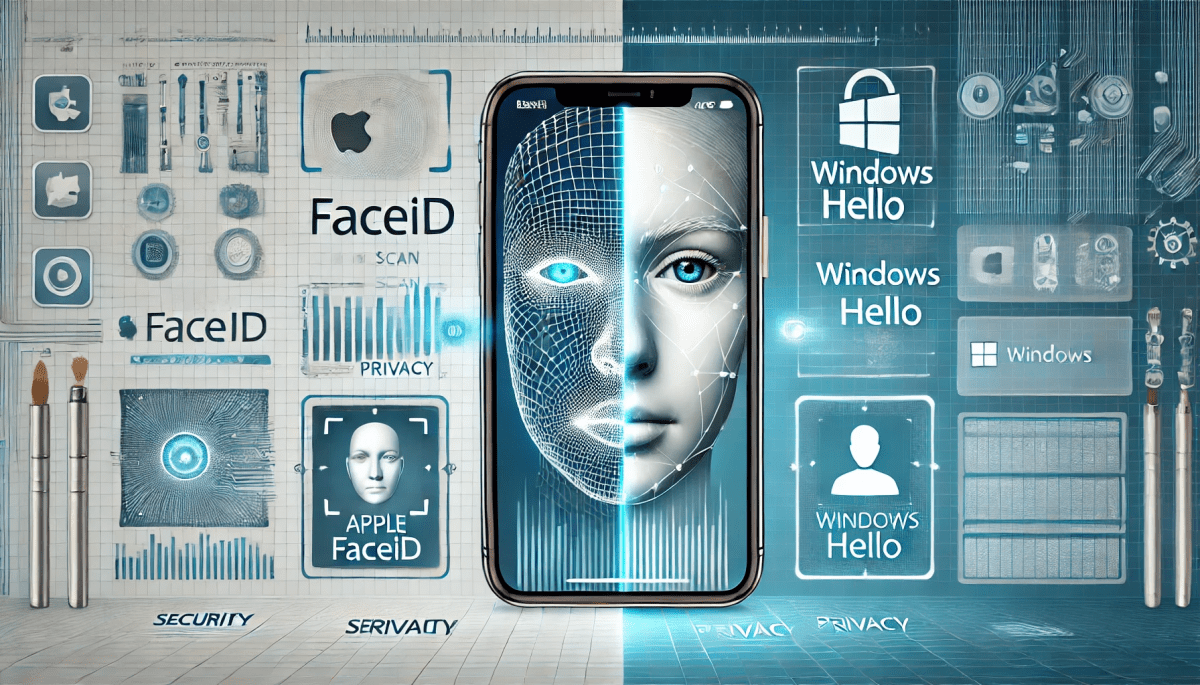
Biometric authentication has fundamentally transformed digital security, yet its implementation across disparate device categories remains fragmented. This report provides a comprehensive comparative analysis of Apple’s FaceID and Microsoft’s Windows Hello, evaluating their core technologies, security architectures, and ecosystem-wide implementations. Apple’s FaceID represents a vertically integrated, highly uniform, and robust solution that offers a predictable user experience on its mobile devices. However, its absence from the Mac desktop ecosystem creates a significant, self-imposed security and usability gap. In contrast, Microsoft’s Windows Hello, designed as a flexible framework for a vast array of OEM hardware, provides broader reach and inclusivity but at the cost of inconsistent performance and a variable security baseline.
The analysis concludes that the fragmented approach to biometric security—whether due to siloed proprietary technology or inconsistent third-party hardware—introduces vulnerabilities and friction for the user. A truly holistic security environment will not be defined by a single proprietary solution, but rather by the convergence of emerging technologies, such as multi-modal biometrics and AI-driven liveness detection, with cross-platform open standards like FIDO passkeys. The future competition between these technology giants may not be about which has the better proprietary system, but about which can more effectively and securely serve as the custodian of a user’s digital identity across all devices.
1. Foundational Technology and Security Architecture
1.1. Core Technology: A Technical Breakdown
1.1.1. Apple FaceID: The TrueDepth Camera and its True 3D Mapping
Apple’s FaceID is a sophisticated biometric authentication system, which is a key component of its security framework for modern iPhones and iPad Pros. The system is not a simple two-dimensional facial recognition tool but relies on a proprietary TrueDepth camera system designed to accurately map the unique geometry of a user’s face.1 This camera system operates by projecting over 30,000 invisible infrared (IR) dots onto the user’s face, a process known as structured light. The system then analyzes the pattern of these dots to create a precise, three-dimensional depth map of the user’s facial topography. Concurrently, it captures a two-dimensional infrared image.1
The TrueDepth camera is also intelligently activated, for example, by tapping the screen or from an incoming notification, and operates optimally at a distance of 25 to 50 cm.1 The captured depth map and IR image are then transformed into a unique mathematical representation by the device’s Neural Engine. This data is compared to the enrolled facial data, a secure process that confirms the user’s identity.1 The entire authentication solution is designed from the ground up to be intuitive, secure, and robust.1
1.1.2. Microsoft Windows Hello: The Infrared Camera and OEM Variability
Unlike Apple’s singular, vertically integrated approach, Windows Hello functions as a broad biometric framework that supports multiple authentication methods, including fingerprint and facial recognition.3 For facial recognition, the system requires a near-infrared (IR) camera module to authenticate and unlock Windows devices.4 The process begins by locating facial landmarks, such as the eyes, nose, and mouth, from the camera stream. To ensure a valid authentication, the system verifies that the user is facing the device within a +/- 15-degree orientation range.
Using these landmarks as anchor points, the Windows Hello algorithm takes thousands of samples from different areas of the face to create a “representation vector”.4 A critical point of differentiation is that, similar to FaceID, no actual image of the face is ever stored; only this abstract representation is used for the authentication comparison. This design provides a user-friendly interface for authentication and re-authentication, typically completing the process in less than two seconds.4 However, a fundamental challenge with Windows Hello is its reliance on OEM partners for hardware implementation, which can introduce significant variability in quality, a key point of vulnerability and inconsistency.3
1.2. Performance and Resilience Against Attack
1.2.1. False Acceptance and False Rejection Rates and Anti-Spoofing
Apple’s FaceID boasts a robust security posture, with the company claiming a False Acceptance Rate (FAR)—the probability of a random person unlocking a device—of approximately one in one million. This is a significant improvement over the one in fifty thousand rate for Touch ID.2 The system’s resilience against physical and digital spoofing is a key design pillar. It actively counters attacks from photos or masks using a dedicated neural network trained for this purpose.5 An additional layer of security is provided by its “attention aware” feature, which requires the user to open their eyes and look at the device to attempt a match, thereby preventing involuntary authentication and certain types of spoofing attacks.1
Microsoft’s Windows Hello also utilizes advanced technology to prevent spoofing, relying on depth-sensing or infrared cameras to differentiate between a real face and a two-dimensional image.3 However, the security of Windows Hello is not uniform across all devices. The availability of a configurable “Enhanced Anti-Spoofing” feature, which requires specific hardware, suggests that not all implementations are equally secure by default.6 This has been borne out by past vulnerabilities. For example, a vulnerability (CVE-2021-34466) was discovered that allowed an attacker with physical access to a device to bypass facial recognition using a custom USB camera and a specialized IR image. The fix required Microsoft to restrict Windows Hello to only “trusted cameras”.7
The impact of hardware variability became even more apparent with the discovery of a newer vulnerability (CVE-2025-26644). This flaw allowed attackers to trick the system’s machine learning model using subtle changes to images, a form of “adversarial input perturbations”.9 In response, Microsoft implemented a new policy that requires both an infrared and a visible light (RGB) camera input to verify a real, live face. This fundamental architectural change, which was not a simple patch, directly demonstrates a key difference in design philosophy. While Apple’s attention-aware feature was a proactive design choice to prevent this kind of spoofing from the beginning, Microsoft’s more basic IR-only approach was susceptible, necessitating a post-facto policy change to address the security threat.1
1.2.2. Environmental Tolerance and User Experience
Both biometric systems are designed to function in a variety of environmental conditions. Apple’s FaceID is built to work indoors, outdoors, and even in total darkness, and can adapt to a user’s appearance with hats, scarves, glasses, and many sunglasses.5 A “Face ID with a Mask” feature was also added, which requires the camera to see the user’s eyes for authentication.1 Similarly, Windows Hello is designed to adapt to different lighting conditions, including low-light and bright environments.3
However, the policy change in response to the CVE-2025-26644 vulnerability introduced a direct trade-off for the Windows Hello user experience. The new requirement for both IR and RGB input means that facial recognition no longer works in total darkness, as the color camera cannot capture a useful image.9 This highlights a critical distinction between the two systems’ design philosophies. Apple’s reliance on a proprietary structured light system provides it with a consistent, three-dimensional data set regardless of ambient light, allowing it to maintain both its security and usability. In contrast, Microsoft was forced to sacrifice a usability feature—dark-room unlocking—to address a foundational security vulnerability in its authentication algorithm. This action illustrates that Apple’s initial, more comprehensive design seems to have preemptively solved a problem that Microsoft’s open-platform approach had to address reactively, at the expense of a diminished user experience.
1.3. Security Architecture: On-Device Credential Protection
1.3.1. Apple’s Secure Enclave: A Hardware-Secured Subsystem
For both FaceID and Touch ID, Apple’s security architecture relies on the Secure Enclave, a dedicated, isolated hardware component on the device’s CPU.1 This subsystem is a protected, local workspace that isolates and encrypts sensitive data, making it highly resistant to tampering, even from the device’s own operating system.10 The mathematical representation of a user’s face is encrypted and protected with a key available only to the Secure Enclave, ensuring that the biometric templates remain private and secure.1 The Secure Enclave’s deep integration into the device’s architecture makes it a powerful security feature ideal for managing cryptographic keys and protecting identity-based security.10
1.3.2. Microsoft’s TPM and Windows Hello Container: A Flexible Standard
Windows Hello stores its biometric templates and key material within a “Windows Hello container”.11 This container is protected by the Trusted Platform Module (TPM), a hardware-based security feature that acts as a tamper-resistant store for cryptographic keys and is a hardware root of trust for platform integrity.10 The TPM provides anti-hammering features to thwart brute-force PIN attacks and offers an additional layer of protection after an account lockout.14 The TPM’s design as a flexible, standardized component makes it suitable for a wide range of devices and for traditional enterprise environments where IT teams require boot-level integrity and device management.13
The architectural difference between the proprietary Secure Enclave and the standardized TPM has profound implications. While both systems protect biometric data on the device and never send it to the cloud, the varying OEM implementations of TPM can introduce issues. For example, a recent Windows update addressed a problem where a Windows Hello credential failed to authenticate with Azure AD due to an “identity binding mismatch” with the TPM.15 This type of error is a direct consequence of a less-tightly controlled, standards-based ecosystem, which Apple’s vertically integrated model is largely designed to avoid. The flexibility of the Windows Hello framework, while enabling broad hardware support, comes with the trade-off of a less-than-guaranteed uniform security baseline, placing a greater burden on the end-user or IT administrator to ensure a consistent and secure configuration.6
| Category | Apple FaceID | Microsoft Windows Hello |
| Core Technology | TrueDepth structured light, IR camera, Neural Engine | Near-IR camera/Fingerprint/PIN, Landmark detection |
| Key Security Component | Secure Enclave | TPM (Trusted Platform Module) |
| Data Storage | On-device (encrypted) within Secure Enclave | On-device (encrypted) within Windows Hello container protected by TPM |
| Biometric Type(s) | Face (3D depth map) | Face (2D/3D), Fingerprint, PIN |
| Anti-Spoofing | Neural networks, randomized capture sequence, attention-aware | Varies by OEM, enhanced anti-spoofing via IR/RGB cameras |
| False Acceptance Rate (FAR) | Approximately 1 in 1,000,000 | Not specified (dependent on OEM hardware) |
| Environmental Tolerance | Works in low light and darkness, with glasses, hats, and masks | Works in low light, variable in darkness after recent security policy changes |
| Hardware Uniformity | High (on supported devices) | Variable (dependent on OEM hardware) |
2. Ecosystem Integration and Continuity
2.1. Apple’s Vertically Integrated Ecosystem
2.1.1. Mobile Device Consistency
Apple’s vertically integrated approach ensures a seamless and consistent biometric experience across its mobile devices. FaceID is consistently implemented across all modern iPhones and iPad Pro models, from its first introduction in 2017 to its current iterations.1 This tight control over hardware and software guarantees a uniform and high-quality user experience, from unlocking the device to authorizing payments with Apple Pay or purchases from the App Store.1 This integration creates a predictable and frictionless environment for users, which is a significant strength of the Apple ecosystem.
2.1.2. Desktop and Peripheral Fragmentation
Despite the success of FaceID on mobile, its absence from the Mac desktop ecosystem represents a significant point of fragmentation. Macs are limited to TouchID, either built into the MacBook keyboard or on the standalone Magic Keyboard for desktop users.16 There is no FaceID on Macs, a puzzling inconsistency that disrupts the user experience for those who use both mobile and desktop Apple devices.16 This creates a jarring transition from a hands-free, glance-based authentication on a mobile device to a tactile, finger-based one on a computer. The reason for this absence is widely believed to be the technical challenge of integrating the complex TrueDepth camera system into the thin chassis of a MacBook lid or the bezel of an iMac.17
2.1.3. Cross-Device Continuity and Authentication
Apple’s Continuity features are a strong point of its ecosystem, allowing for seamless transitions between devices.19 However, the primary “Auto Unlock” feature for Macs relies on a paired Apple Watch, not a biometric handshake with a FaceID-enabled iPhone.20 This is a convenience feature, not a biometric continuity solution, and its reliance on a separate wearable device highlights a significant gap in a cohesive, cross-device authentication strategy. The ability to use an iPhone’s FaceID to securely authenticate a Mac would be a natural extension of the ecosystem, yet it remains a conspicuously absent feature.
2.2. Microsoft’s Open-Hardware Ecosystem
2.2.1. Broad Reach and Device Compatibility
Windows Hello’s primary advantage is its broad compatibility across a vast and diverse hardware ecosystem.3 It is supported on a wide range of laptops, Surface devices, and third-party PCs from numerous original equipment manufacturers (OEMs), providing an inclusive approach to biometric security.22 This open framework enables biometric authentication on a much wider array of hardware than Apple’s closed ecosystem, making it accessible to a larger user base.
2.2.2. The Challenge of OEM Fragmentation and Quality Control
The broad reach of Windows Hello comes with a significant drawback: a lack of uniform quality control. Because Microsoft’s implementation is dependent on OEM hardware, the user experience and security level can vary drastically from one device to another.3 Some devices may include a robust IR camera required for enhanced anti-spoofing, while others may not, leading to an inconsistent security baseline across the ecosystem.6 This fragmentation can create confusion for both consumers and IT administrators.
2.3. Cross-Device Continuity and Third-Party Peripherals
Microsoft’s ecosystem leverages the availability of third-party peripherals to fill hardware gaps. For desktops that lack built-in biometric sensors, users can purchase external cameras that are certified for Windows Hello.23 These devices provide a high-quality camera and biometric sensor in a single, plug-and-play unit.23 However, this reliance on external hardware has its own set of complexities.
The question of whether peripherals are an adequate substitute for native sensors is complicated. In theory, they provide a viable solution for users who need biometric authentication on their desktop PCs. In practice, they can introduce new vectors for attack. The existence of a past vulnerability that exploited a custom USB camera to bypass authentication demonstrates that this reliance on third-party hardware carries risks.8 Microsoft had to address this by implementing a software-based trust model that restricts Windows Hello to only “trusted cameras.” This highlights that a peripheral, by its nature, is not as deeply integrated or as inherently secure as a native, built-in solution designed from the ground up, and requires an additional layer of software-based security to mitigate potential risks.
3. Ecosystem-Level Gap Analysis
3.1. The Apple Paradox: Mobile Parity, Desktop Deficit
3.1.1. Analysis of the Lack of FaceID on Mac Desktops
The most significant and perplexing gap in Apple’s biometric ecosystem is the absence of FaceID on its Mac desktops and laptops. While patents for this functionality exist and rumors persist, no product has been released to date, leaving a jarring inconsistency for users.17 This forces users to choose between the seamless, hands-free authentication of their iPhone and the tactile, finger-based authentication of their Mac. The convenience of unlocking a mobile device with a simple glance is a key feature of the modern user experience, and its removal on the desktop feels like a step backward.
3.1.2. Assessment of Magic Keyboard’s TouchID as a Solution
The Magic Keyboard with TouchID is Apple’s primary, though optional, solution for providing biometric authentication on desktop Macs.16 While it offers a level of convenience, it does not fully address the user demand for facial recognition. The commentary from users reveals a nuanced preference for TouchID on the Mac, with some expressing annoyance at Windows Hello’s “always on” nature and automatic unlocking, which they find intrusive.16 This suggests that the optimal biometric method is highly context-dependent. On a mobile device, a frictionless, “at a glance” unlock is often preferred. On a desktop, especially in a professional or shared environment, a more intentional action like pressing a finger to a sensor might be more desirable. This duality of preference means that Apple’s “either/or” approach—FaceID on mobile, TouchID on desktop—may not be a mere technical limitation but a deliberate, if perhaps flawed, product design choice. However, the consistent user demand for a FaceID
option suggests that the current implementation is suboptimal and leaves a clear user experience gap.
| Device Category | FaceID/TouchID Availability | Windows Hello Availability | Gaps & Weaknesses |
| iPhone/iPad Pro | FaceID (High Uniformity) | N/A | Desktop Deficit on Mac |
| MacBook/Mac | TouchID Only | N/A | No Cross-Device FaceID Unlock |
| Magic Keyboard | TouchID (Optional) | N/A | Inconsistent OEM Quality |
| Windows Laptop (OEM) | N/A | Hello (Variable Quality) | External Peripherals as Potential Vulnerability |
| Windows Surface | N/A | Hello (High Uniformity) | |
| Windows Desktop | N/A | Hello (Optional, via peripherals) | |
| External Peripherals | N/A | Hello (Variable Quality) |
3.2. The Microsoft Challenge: Inconsistency vs. Inclusivity
3.2.1. Vulnerabilities Introduced by Variable Hardware Implementations
Microsoft’s open ecosystem, while inclusive, lacks a single, guaranteed security baseline. The security of a Windows Hello system is not guaranteed across all devices but is instead a function of the specific device model and the quality of its OEM-provided hardware.3 This can lead to a situation where some devices lack the features required for robust anti-spoofing, which places the burden of security on the user or IT administrator.6 This variability creates a less predictable security environment and requires continuous vigilance through policies like “Enhanced Anti-Spoofing” to mitigate potential risks.
3.2.2. The Adequacy of External Windows Hello Peripherals
External webcams that support Windows Hello are a critical component of Microsoft’s strategy to provide biometric authentication for desktop PCs.23 These peripherals successfully fill a hardware gap, but they also introduce new security dependencies. The history of vulnerabilities that could be exploited via custom USB cameras highlights that a peripheral, by its very nature, is a less secure solution than a deeply integrated, native component.8 This means that the reliance on external hardware for security requires a software-based trust model to maintain integrity. Apple’s approach of guaranteed quality within a limited scope stands in stark contrast to Microsoft’s model of broad availability and variable security, demonstrating a fundamental difference in their philosophies toward system design and security.
4. The Future of Biometric Authentication and Recommendations
4.1. Emerging Trends and Technologies
4.1.1. The Promise of Multi-Modal Biometrics
The future of biometric authentication will likely be defined by multi-modal systems that combine multiple biometric identifiers, such as face, fingerprint, and voice.25 This approach significantly enhances security and accuracy by requiring a fraudster to replicate multiple distinct biometric traits to breach a system.27 Multi-modal authentication is already transforming identity verification in enterprise contexts, and its adoption in consumer devices will likely become a next-generation security standard for a more robust and frictionless experience.26
4.1.2. The Role of AI and Machine Learning in Liveness Detection
AI and machine learning are crucial for improving the accuracy of biometric systems and, more importantly, for advanced Presentation Attack Detection (PAD).25 AI algorithms can analyze subtle cues and micro-expressions to distinguish between a live human subject and a spoof attempt, a core vulnerability of biometric systems.25 Both FaceID and Windows Hello already leverage AI and machine learning in their authentication pipelines, but the continued rapid evolution of these technologies will be essential to defend against sophisticated emerging threats like deepfakes and other forms of digital impersonation.28
4.2. Standardization and Cross-Platform Integration
4.2.1. The FIDO Alliance and the Adoption of Passkeys
The most promising development to address the existing ecosystem silos is the widespread adoption of FIDO standards and the concept of “passkeys”.29 A passkey is a FIDO credential that allows a user to sign in to apps and websites using the same process they use to unlock their device, whether it’s with biometrics, a PIN, or a pattern.29 Passkeys are designed to replace traditional passwords and are phishing-resistant by design.29
4.2.2. How Passkeys Address Ecosystem Silos
Passkeys are a “cross-platform general-use term” not tied to any specific platform or vendor.29 This open standard unifies the currently fragmented authentication landscape. It enables a user to potentially use their iPhone’s FaceID to securely sign in to a website on a Windows PC, or to use their Windows Hello to authenticate on a web service from a mobile device.30 The FIDO standard shifts the competitive dynamic from which company has the better proprietary system to which can provide the most secure and seamless experience for managing and using a user’s passkeys. Both Apple and Microsoft have already integrated FIDO passkeys into their respective ecosystems, signaling a collective commitment to this future and moving the industry toward a more interoperable and secure authentication paradigm.30
4.3. Recommendations for a Unified Security Environment
4.3.1. Recommendations for Apple: Bridging the Desktop Gap
To create true biometric parity, Apple should prioritize the engineering and implementation of FaceID on its Mac desktop line. If technical constraints on a device like the MacBook lid persist, the company should enable a secure and seamless continuity feature that leverages a user’s authenticated iPhone to unlock a Mac, thereby providing a consistent user experience and leveraging existing technology to fill a critical gap.
4.3.2. Recommendations for Microsoft: Enforcing Hardware Standards
Microsoft should establish and enforce a stricter certification program for Windows Hello hardware. This would guarantee a minimum security baseline across all certified devices—whether native or peripheral—ensuring that they meet robust anti-spoofing and performance standards. This would provide the consistency that enterprises require and elevate the overall security posture of the Windows ecosystem.
4.3.3. Recommendations for the Industry: Adopting Open Standards
The industry must accelerate the adoption and promotion of FIDO passkeys as the universal standard for passwordless authentication. This would empower users with a consistent, secure, and cross-platform authentication method, irrespective of their chosen hardware ecosystem. The collective commitment to open standards would resolve the fragmentation issues and provide a unified, friction-free security experience for all users.
Conclusion
Apple and Microsoft’s approaches to biometric authentication are a reflection of their core business philosophies: Apple’s is a masterclass in vertically integrated, high-quality design, but it has created a fragmented experience within its own ecosystem. Microsoft’s is a testament to open inclusivity, but its reliance on variable OEM hardware introduces significant security and usability inconsistencies. The future of a truly holistic security environment will not be won by a single proprietary technology but by the industry’s collective commitment to open, secure standards that can be uniformly implemented across all devices. The race is no longer about which company has the best proprietary system, but about which can most effectively and securely serve as the custodian for a user’s cross-platform digital identity. The ongoing adoption of FIDO passkeys marks a significant step toward a unified, more secure, and more user-centric authentication paradigm.
Works cited
- About Face ID advanced technology – Apple Support, accessed August 22, 2025, https://support.apple.com/en-us/102381
- Face ID – Wikipedia, accessed August 22, 2025, https://en.wikipedia.org/wiki/Face_ID
- Windows Hello: The Ultimate Security Feature | Lenovo US, accessed August 22, 2025, https://www.lenovo.com/us/en/glossary/what-is-windows-hello/
- Windows Hello face authentication | Microsoft Learn, accessed August 22, 2025, https://learn.microsoft.com/en-us/windows-hardware/design/device-experiences/windows-hello-face-authentication
- Face ID Security Guide – Apple, accessed August 22, 2025, https://www.apple.com/business-docs/FaceID_Security_Guide.pdf
- How to Configure Enhanced Anti-Spoofing for Windows Hello Face Authentication, accessed August 22, 2025, https://www.ninjaone.com/blog/configure-enhanced-anti-spoofing-for-windows-hello-face-authentication/
- Configure Windows Hello for Business in Microsoft Entra ID – IDManagement.gov, accessed August 22, 2025, https://www.idmanagement.gov/implement/whfb/
- KB5005478—Windows Hello CVE-2021-34466 – Microsoft Support, accessed August 22, 2025, https://support.microsoft.com/en-us/topic/kb5005478-windows-hello-cve-2021-34466-6ef266bb-c68a-4083-aed6-31d7d9ec390e
- Windows Hello no longer works in the dark — and Microsoft didn’t even tell us : r/Surface, accessed August 22, 2025, https://www.reddit.com/r/Surface/comments/1lwpznx/windows_hello_no_longer_works_in_the_dark_and/
- Secure Enclave vs. TPM 2.0: A Quick Dive – Smallstep, accessed August 22, 2025, https://go.smallstep.com/microblog/secure-enclave-vs.-tpm-2.0-a-quick-dive
- How Windows Hello for Business works | Microsoft Learn, accessed August 22, 2025, https://learn.microsoft.com/en-us/windows/security/identity-protection/hello-for-business/how-it-works
- How Windows uses the TPM | Microsoft Learn, accessed August 22, 2025, https://learn.microsoft.com/en-us/windows/security/hardware-security/tpm/how-windows-uses-the-tpm
- Trusted Platform Module vs Secure Enclave: Which Is Better? – Venn Software, accessed August 22, 2025, https://www.venn.com/blog/trusted-platform-module/
- Windows Hello for Business Frequently Asked Questions (FAQ) | Microsoft Learn, accessed August 22, 2025, https://learn.microsoft.com/en-us/windows/security/identity-protection/hello-for-business/faq
- Windows Hello PIN Stops Working After the Windows 11 24H2 Upgrade – Patch My PC, accessed August 22, 2025, https://patchmypc.com/blog/windows-hello-pin-stops-working-after-the-windows-11-24h2-upgrade/
- Would you actually use Face ID on your Mac — like real Face ID, not just unlocking the screen? : r/macbookpro – Reddit, accessed August 22, 2025, https://www.reddit.com/r/macbookpro/comments/1m4mv0l/would_you_actually_use_face_id_on_your_mac_like/
- Future Macs with Face ID could have gesture detection too – AppleInsider, accessed August 22, 2025, https://appleinsider.com/articles/25/07/17/future-macs-with-face-id-could-have-gesture-detection-too
- New patent reveals how Face ID could work on Macs | Cybernews, accessed August 22, 2025, https://cybernews.com/gadgets/face-id-for-macs-patent-apple/
- macOS – Continuity – Apple, accessed August 22, 2025, https://www.apple.com/macos/continuity/
- Continuity features and requirements for Apple devices, accessed August 22, 2025, https://support.apple.com/en-us/108046
- Windows 10 editions – Wikipedia, accessed August 22, 2025, https://en.wikipedia.org/wiki/Windows_10_editions
- The best laptop webcam: built-in cameras that show you at your best | Digital Camera World, accessed August 22, 2025, https://www.digitalcameraworld.com/buying-guides/best-laptop-webcam
- Our Best Windows Hello Webcam | Lenovo US, accessed August 22, 2025, https://www.lenovo.com/buy/us/en/our-best-windows-hello-webcam-0sdz00a
- The best webcams for streaming and working from home in 2025 – Windows Central, accessed August 22, 2025, https://www.windowscentral.com/best-webcam-windows
- What’s on the Horizon: 10 Biometric Trends for 2025 – HID Global Blog, accessed August 22, 2025, https://blog.hidglobal.com/whats-horizon-10-biometric-trends-2025
- Future of ID Verification with Multimodal Biometrics – BioEnable Technologies, accessed August 22, 2025, https://www.bioenabletech.com/future-of-id-verification-with-multimodal-biometrics
- The Future of Biometrics: Enhancing Security with a Multimodal Approach – Jumio, accessed August 22, 2025, https://www.jumio.com/biometrics-multimodal-approach/
- Future of Biometrics: AI, Fraud Prevention & Industry Growth – Veriff, accessed August 22, 2025, https://www.veriff.com/identity-verification/news/the-future-of-biometric-technology
- Passkeys: Passwordless Authentication – FIDO Alliance, accessed August 22, 2025, https://fidoalliance.org/passkeys/
- Passkeys Overview – Apple Developer, accessed August 22, 2025, https://developer.apple.com/passkeys/
- Set Up a Passkey Using Windows Hello (Windows 10/11) | myHawaii Citizen Identity Initiative, accessed August 22, 2025, https://my.hawaii.gov/individuals/set-up-a-passkey-using-windows-hello-windows-10-11/
Signing in with a passkey – Microsoft Support, accessed August 22, 2025, https://support.microsoft.com/en-us/account-billing/signing-in-with-a-passkey-09a49a86-ca47-406c-8acc-ed0e3c852c6d
 Jarad Ponce